
Your eyes get tired after 50 bolts. The AI is just getting warmed up.
Counting things by hand feels simple until it isn't. Past about 30 items, your brain shifts from counting to estimating. You lose your place, recount a row, and still wonder if you got it right. AI-powered object counting takes a different approach: it processes an entire image at once, marks every item it finds, and returns a total in seconds. Here is how it works.
What happens when you upload a photo
When you send a photo to an AI counting tool, three things happen in rapid sequence.
First, the system preprocesses your image: resizing to a standard dimension, normalizing colors, and adjusting the aspect ratio. This takes milliseconds.
Next comes detection. A computer vision model scans the entire image in a single forward pass. Modern architectures like YOLO (You Only Look Once) divide the image into a grid and predict object locations, classifications, and confidence scores for every cell simultaneously. Think of it as the difference between reading a page word by word and taking in the whole page in a glance.
For each object the model finds, it outputs a classification (what it thinks the object is), a location (coordinates in the image), and a confidence score between 0 and 1 representing how certain it is. A score of 0.85 means the model is 85% confident it found a real object at that spot.
Finally, a confidence threshold filters out weak detections. Anything below the cutoff gets discarded, reducing false counts. The remaining detections are tallied and displayed as colored dots or bounding boxes on your original photo: a total count plus a visual map of exactly what was counted and where.
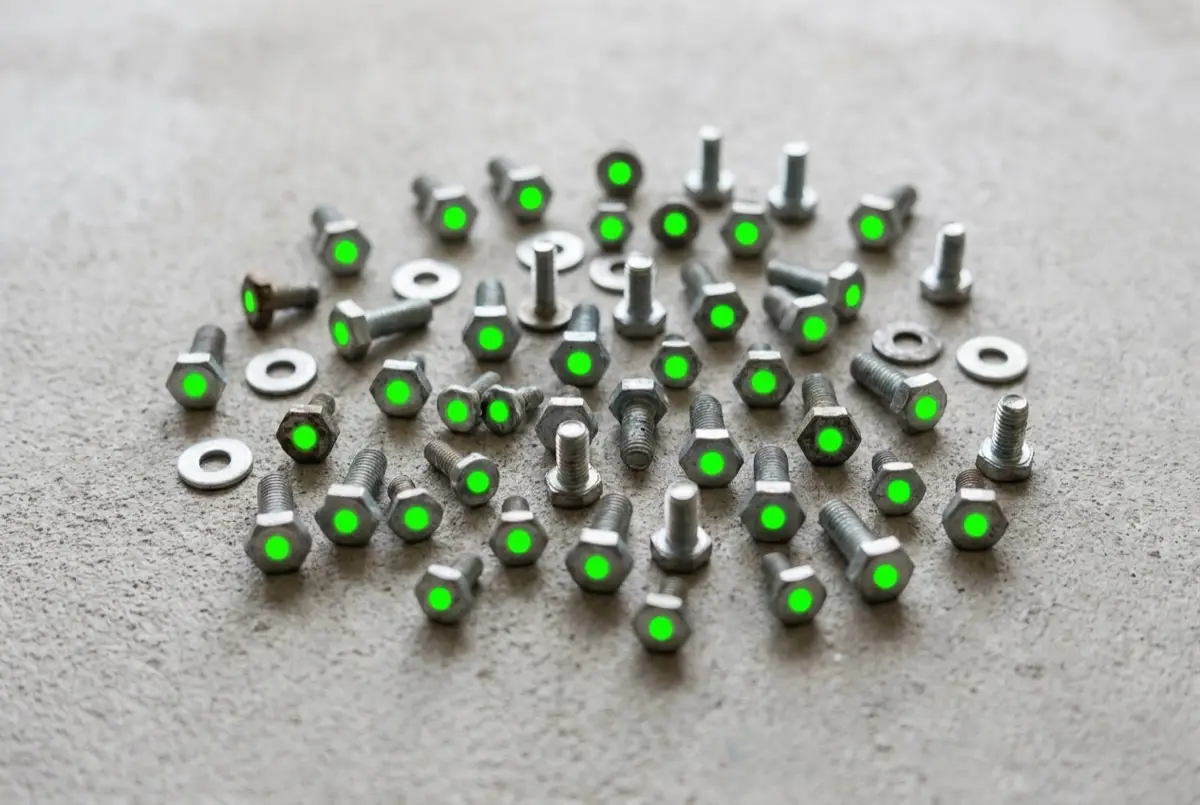
The accuracy gap: why AI outperforms your eyes
Human vision has a hard limit most people never think about. Cognitive scientists call it subitizing: the brain can instantly recognize quantities of 1 to 4 items with near-perfect accuracy. Beyond that threshold, you have to count one by one, and errors start creeping in.
Research from Nventory found that humans counting inventory at normal working speed average about 91% accuracy, roughly one miscount for every 10 items. That error rate climbs with fatigue, distraction, and quantity. By the time you are staring at 200 fasteners on a shelf, your brain is guessing, not counting.
AI does not fatigue, lose its place, or estimate. A fine-tuned YOLOv11 model tested in real warehouse conditions achieved 97% counting accuracy across multiple rounds of testing (Springer, 2026). Under controlled conditions with clean, well-lit images, accuracy reaches 99%. The gap only widens as quantities grow.
At 50 items, human and AI counting accuracy are comparable. At 500, the AI barely slows down while your error rate climbs with every passing minute. The larger the count, the bigger the advantage.
Speed: minutes vs. seconds
A warehouse worker manually counting inventory processes roughly 250 to 750 items per hour. A full physical count of a medium warehouse takes 1 to 3 days with a team.
An AI counting system processes a single image in under 250 milliseconds on modern hardware. Even on a smartphone, it typically takes 1 to 3 seconds. One photo can contain hundreds of items, all counted in a single pass.
The math is lopsided. A task that takes a team of four people an 8-hour day, roughly 2,500 SKUs, can be accomplished in minutes when each shelf is photographed and processed. The bottleneck shifts from counting to photographing.

Where AI counting struggles
AI counting is not infallible. Knowing its weak spots helps you decide when to trust it and when to verify the result.
The model only sees what is on the surface. Items buried underneath are invisible to the camera. ICCV 2025 research confirmed stacked objects remain one of the hardest counting problems.
Items under roughly 20 pixels in the image become hard to distinguish from noise. Higher-resolution photos help, but there is a practical limit.
As objects crowd together, the model may merge adjacent items into one detection or miss objects squeezed between others.
Glass, clear plastic, and shiny surfaces lack distinct edges, leading to missed or phantom counts.
Counts above 1,000 in a single image amplify small per-object errors into noticeable totals. Splitting into multiple photos solves this.
When counting by hand still wins
AI needs visible objects in a photograph. There are situations where human judgment is still the better tool:
- Fewer than 10 items - Your brain's subitizing ability makes a quick glance faster than any app.
- Fully hidden objects - Items inside closed boxes, behind walls, or underneath other items are invisible to a camera.
- Mixed irregular piles - A jumble of very different objects in random orientations can confuse models that expect visual consistency.
- No camera available - Sometimes the fastest path is simply counting by hand.
The practical dividing line: if all objects are clearly visible and there are more than about 20 of them, AI almost always delivers a faster, more accurate result.

The bottom line
AI-powered counting is now faster, more accurate, and more consistent than manual counting for most practical scenarios. The remaining limitations are real but well-understood, and shrinking with every new model generation.
Next time you face a shelf of parts, a tray of components, or a pallet of boxes, try taking a photo instead of counting by hand. You will get an answer in seconds, and it will probably be more accurate than yours.