
The difference between a 78% count and a 98% count is usually not the AI - it is the photo.
AI counting tools process exactly what you give them. A sharp, well-lit photo with clearly separated objects returns a near-perfect count. A blurry, shadowed tangle of overlapping items returns a guess. Research from the SNAP benchmark confirms that capture conditions - lighting, exposure, and camera angle - significantly affect deep learning model performance, sometimes more than the model architecture itself. The good news: fixing your photos is free, fast, and dramatically effective.
1. Spread objects in a single layer
Overlap is the number one cause of undercounting. When two bolts sit on top of each other, the camera sees one shape. The AI cannot count what it cannot see.
Before you photograph, take 10 seconds to spread items into a single, flat layer. Push pieces apart until you can see a sliver of background between each one. This alone can improve accuracy by 10 to 15 percentage points on dense scenes.
If you can see every individual object from above, so can the AI. If two items look like one shape, the AI will count them as one.
2. Shoot from directly above
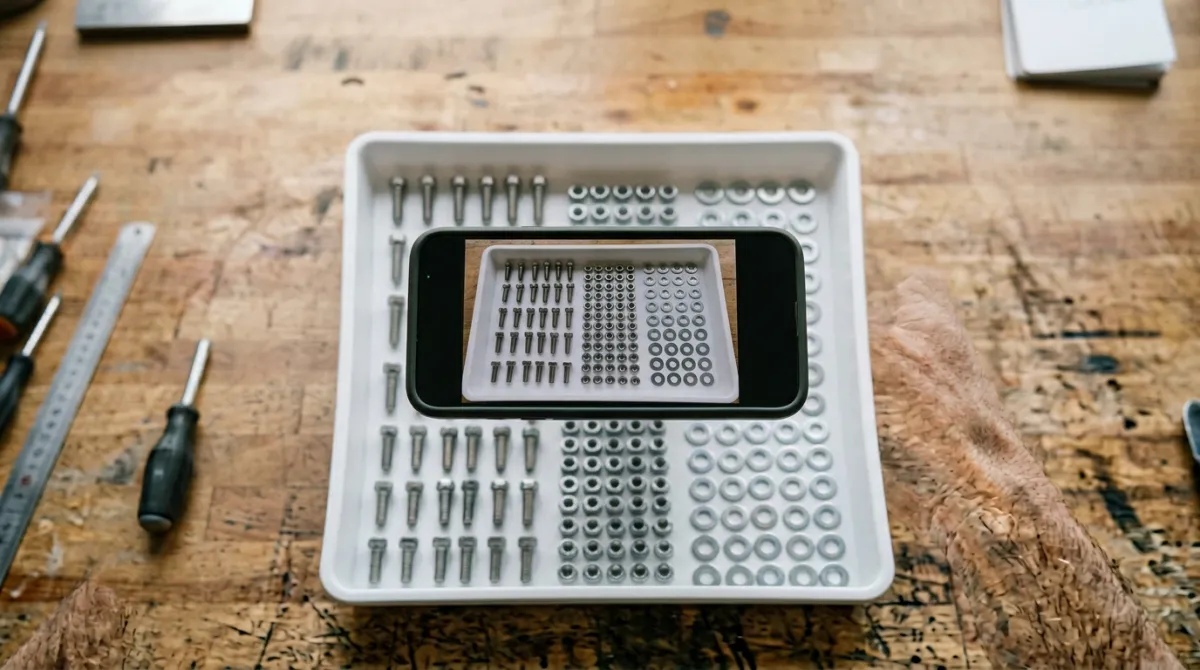
Perspective distortion is sneaky. When you photograph a tray of screws at a 45-degree angle, the screws at the back appear smaller and closer together than the ones at the front. The AI model processes pixel sizes, so objects that appear smaller get detected less reliably.
Hold your phone or camera parallel to the surface, pointing straight down. Most smartphones have a grid overlay option in the camera settings - turn it on and keep the surface edges aligned with the grid lines. A perfectly overhead shot gives every object the same pixel size and eliminates occlusion from depth.
3. Use a contrasting background
Object detection works by finding edges - boundaries where one color meets another. When your objects blend into the background, those edges disappear.
The fix is simple: use the opposite. Dark objects go on a light surface. Light objects go on a dark surface. A sheet of white paper for dark screws, a black cloth for silver washers. Avoid green backgrounds, which can cause color spill that confuses AI on object boundaries. The sharper the contrast, the cleaner the detection.
4. Use even, diffused lighting
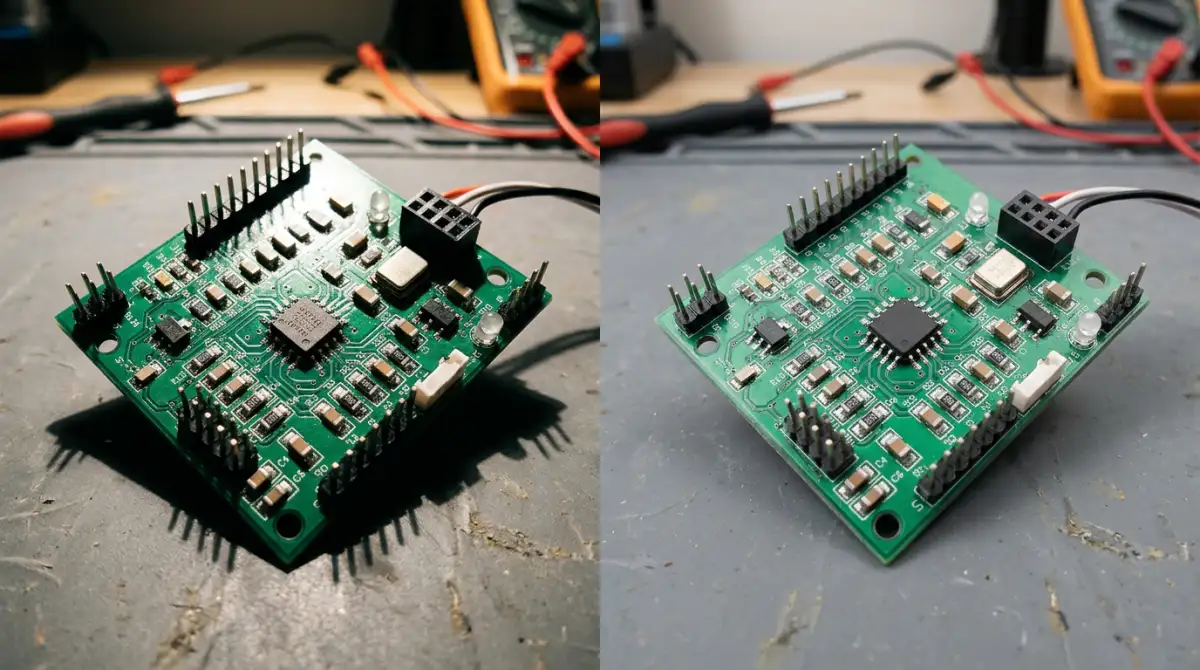
Harsh directional light creates two problems: bright hot spots that wash out detail and dark shadows that hide objects entirely. A shadow falling across a row of pills can split one object into two detected shapes, or make an object vanish.
The best light for counting photos is soft and even. Near a window on an overcast day is ideal. Indoors, overhead fluorescent or LED panels work well. If you only have a desk lamp, bounce it off a white wall or ceiling instead of pointing it directly at the objects. The goal is uniform brightness with no visible shadows between items.
5. Count in batches for large quantities
Trying to fit 500 items into a single photo means each object occupies very few pixels. Objects under roughly 20 pixels become hard for the AI to distinguish from noise or background texture. The smaller each item appears, the more the model struggles.
For quantities over 100, split them into batches of 50 to 100 per photo. Count each batch separately and add the totals. This keeps every object large enough for reliable detection and limits the compounding effect of small per-object errors. Five photos of 100 items each will give a more accurate total than one photo of 500.
6. Skip the flash
Your phone's flash fires from a point source right next to the lens. This creates a bright hot spot in the center and harsh shadows at the edges - exactly the lighting conditions that hurt detection accuracy.
Flash also creates specular reflections on shiny or metallic surfaces, turning a screw head into a white blob that the AI cannot classify. Turn flash off and rely on ambient light. If the scene is too dark, add a separate light source positioned above and slightly to the side, or move to a brighter area.
7. Ensure sharp focus
A blurry photo smears the edges between objects, which is exactly the information the AI needs to detect boundaries. Even slight motion blur from a shaky hand can reduce accuracy on small items.
Tap the screen to lock focus on the objects before shooting. Hold your phone steady, or brace it against a surface. For critical counts, use a 2-second timer to eliminate shake from pressing the shutter button. A resolution of 2,000 pixels or higher on the longest side ensures the AI has enough detail to work with, though even 1,000 pixels is usable for larger objects.
Putting it all together
- Spread items in a single layer with visible gaps
- Hold the camera directly overhead
- Place objects on a contrasting background
- Use soft, even lighting without harsh shadows
- Split large quantities into batches of 50 to 100
- Turn off the flash
- Tap to focus and hold steady
None of these tips require special equipment. A smartphone, a sheet of paper, and a window are enough. The combined effect is dramatic: users who follow these guidelines consistently report accuracy above 95%, compared to 75 to 85% with casual, uncontrolled photos.
Next time you need to count objects from a photo, spend 30 seconds setting up the shot. That half-minute investment saves you from recounting, second-guessing, and trusting a number that might be off by 20%. The AI is ready. Give it a photo worth counting.